Certificate Manager - SaaS API
Welcome to the Dev Central API reference section. This reference is your key to a comprehensive understanding of the CyberArk Certificate Manager - SaaS APIs. Here you can start working with Certificate Manager - SaaS APIs as quickly as possible. Developers can try out our APIs right from our docs and see what’s working (or not) with real-time logs. So let's jump right in!
The Certificate Manager - SaaS APIs are designed for administrators to perform critical tasks, such as discovering and monitoring TLS keys and certificates and managing your TLS machine identities. This section provides detailed information about these APIs, including operations, types, inputs and outputs, and error codes.
Using the navigation on the left, you'll find details for each endpoint and type of object used in the API.
Certificate Manager - SaaS REST APIs
The Certificate Manager - SaaS REST API provides programmatic access to functionality that is available via the Certificate Manager - SaaS Web user interface (UI). Any task that can be performed using the UI can also be accomplished using the REST API. This feature allows you to automate operations that are present in the UI for greater consistency and scale.
The REST API follows best practices in API design. For example, it uses JSON for encapsulating objects returned by the API, proper HTTP request verbs and status codes, and comprehensive error messages in failed requests to aid developers in diagnosing issues.
Common use cases
- Auditing your organization’s Certificate Manager - SaaS account to understand what certificates are in inventory.
- Requesting certificates from Certificate Manage - SaaS for use by applications, such as HTTPS-enabled web servers. (Certificate request API)
- Searching Certificate Manager - SaaS to understand what certificates have been issued by your organization.
- Extracting data for custom reports based on certificate data and summary information to help track key and certificate management policy compliance.
What about my API key?
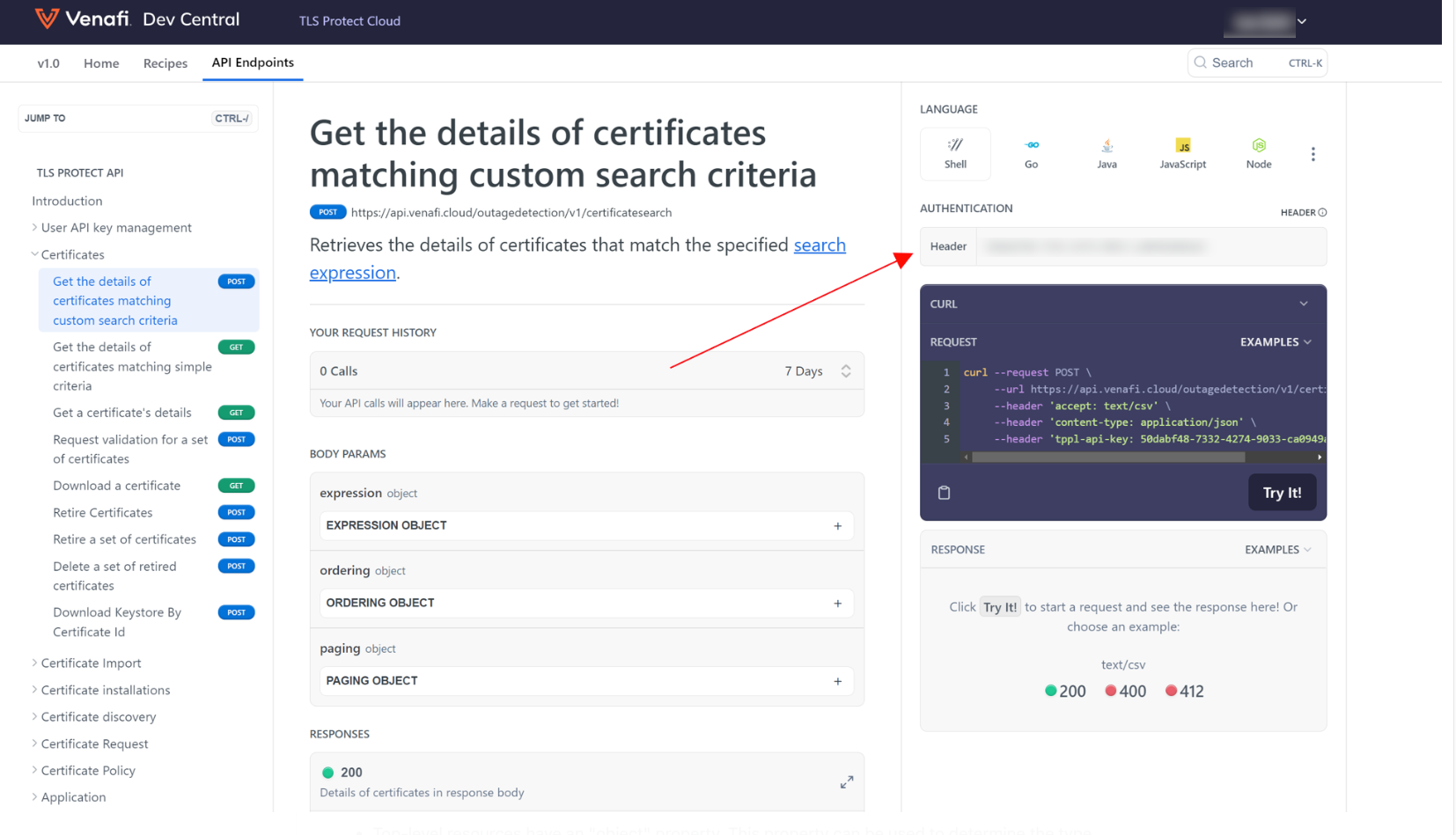
The API Endpoint pages in Dev Central let you enter your API key and run API calls directly. Simply enter your API key in the Authentication box for any call.
Region URL
Region URLs are used to access the Certificate Manager - SaaS APIs. The default region URL is for the US region: https://api.venafi.cloud. HTTPS is required for all API requests.
You can select other region URLs using the dropdown in the API documentation:
- US Region:
https://api.venafi.cloud - EU Region:
https://api.eu.venafi.cloud - AU Region:
https://api.au.venafi.cloud - UK Region:
https://api.uk.venafi.cloud - SG Region:
https://api.sg.venafi.cloud - CA Region:
https://api.ca.venafi.cloud
JSON
Request and response bodies are encoded as JSON.
- Top-level resources have an "object" property. This property can be used to determine the type of resource (e.g., "database," "user," etc.)
- Property names are in camelCase (not snake_case or kebab-case).
Code samples
Samples requests and responses are shown for each endpoint. Requests are shown using cURL, Go, Java, JavaScript, Python, and more. These samples make it easy to copy, paste, and modify as you build your integration.
Authentication
- API Key: tppl-api-key
- API Key: service-account
Security Scheme Type: | apiKey |
|---|---|
Header parameter name: | tppl-api-key |
Security Scheme Type: | apiKey |
|---|---|
Header parameter name: | service-account |